Important
For your safety, REDARC recommends installation by a qualified technician. Seek support from a REDARC recommended dealer or installer - Find Your Local Installer
If you have made a mistake while attempting to change the configuration of your RedVision Total Vehicle Management System, follow the instructions as follows.
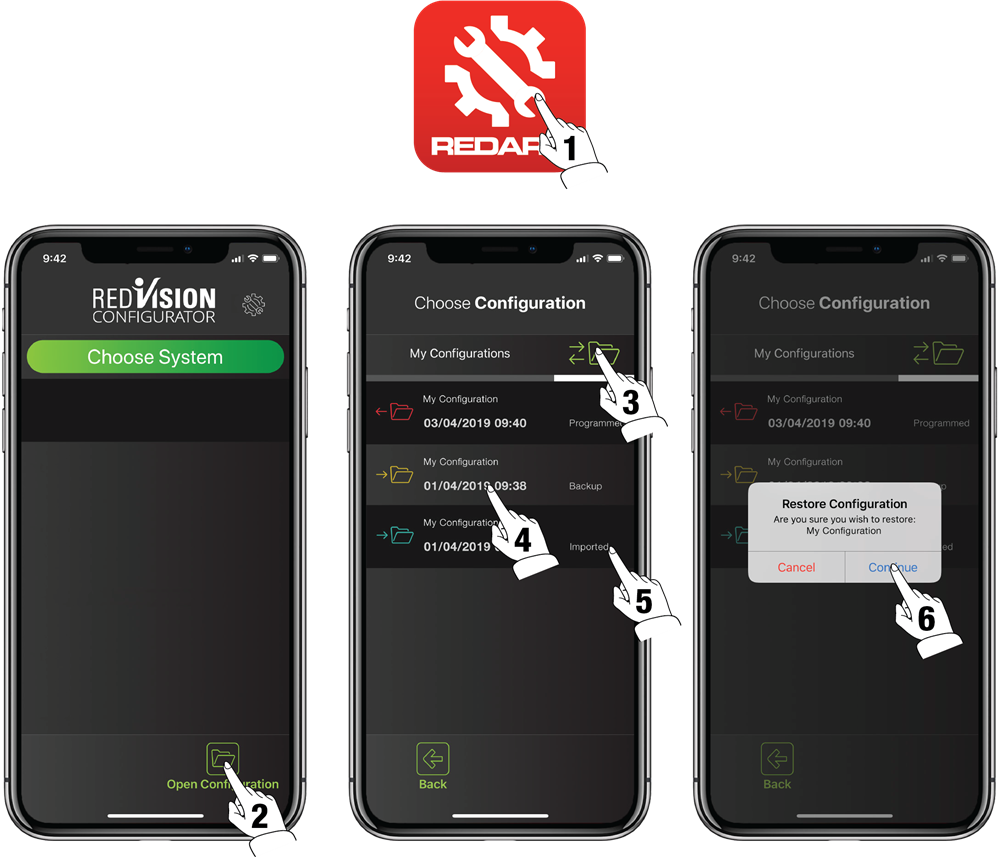
- Open the RedVision Configurator App.
- Tap on the Open Configuration button.
- Navigate to the History Folder.
- Use the date and time information on each backup to select a suitable configuration for when you last remember
the system working properly. - The available backups are also labelled to help identify which files have been imported, backed up, or programmed.
- Select the configuration from which you wish to restore and confirm when prompted.